Interview Brush-Up · Uptime and releases
4 ways to ship a new version, and the column rename that breaks three of them
In one line: Recreate, rolling, blue-green, canary, and the shared-database change none of them fix for you.
You get a ticket: rename the column name to full_name. Sounds like five minutes. Write the migration, update the code, deploy.
But if you haven’t thought about how that deploy moves traffic from v1 to v2, there’s a real chance it takes production down. Not because of a bug in your code, but because of something every zero-downtime strategy has in common.
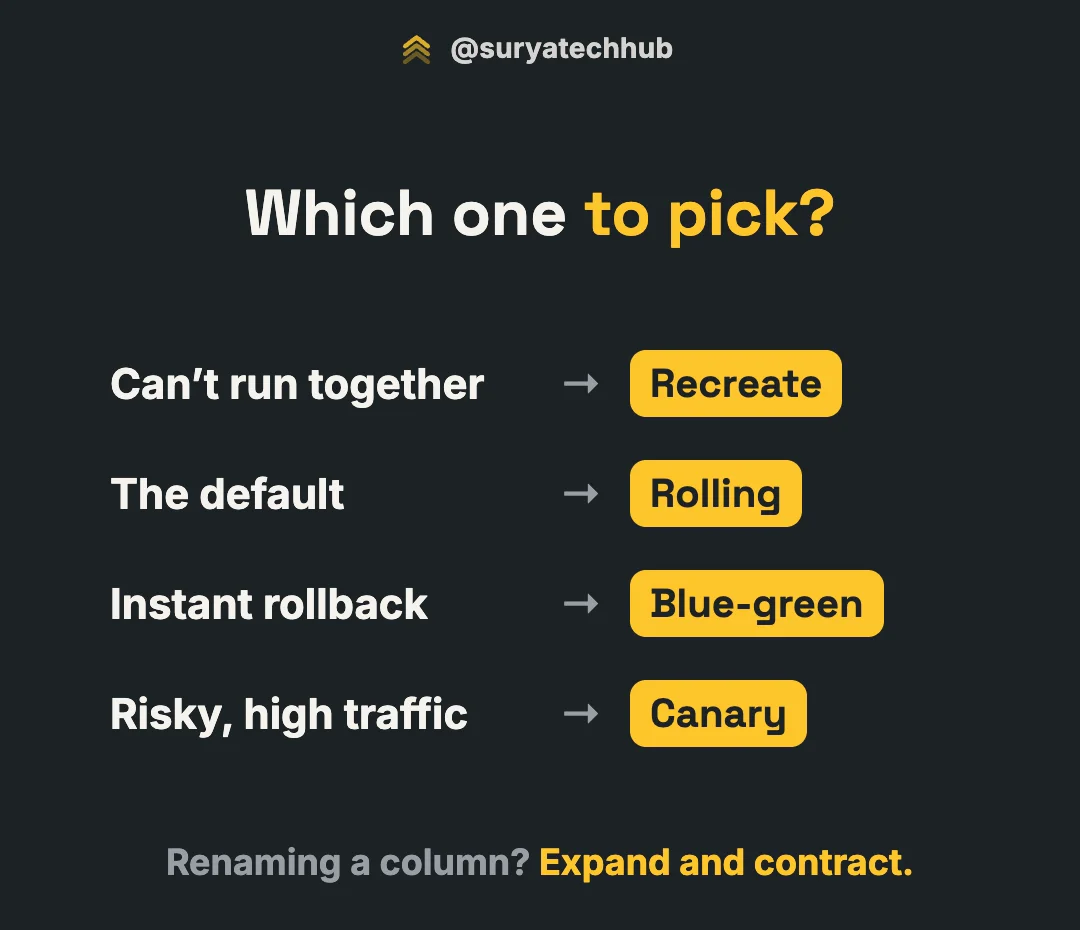
So first, the four strategies. Each one answers the same question differently: how does traffic move from v1 to v2? And each one trades downtime, extra servers, rollback speed and blast radius.
| Downtime | Extra servers | Rollback | Who sees a bad release | |
|---|---|---|---|---|
| Recreate | Yes | None | Redeploy v1 (slow) | Everyone |
| Rolling | No | A little (surge) | Another rollout (slow) | More users with every batch |
| Blue-green | No | 2× during the deploy | Flip back (instant) | Everyone, until you flip back |
| Canary | No | A little | Shift traffic back (fast) | 1–5% of users |
1. Recreate
Stop every v1 pod, then start the v2 pods. Users get errors from the moment v1 stops until v2 is ready.
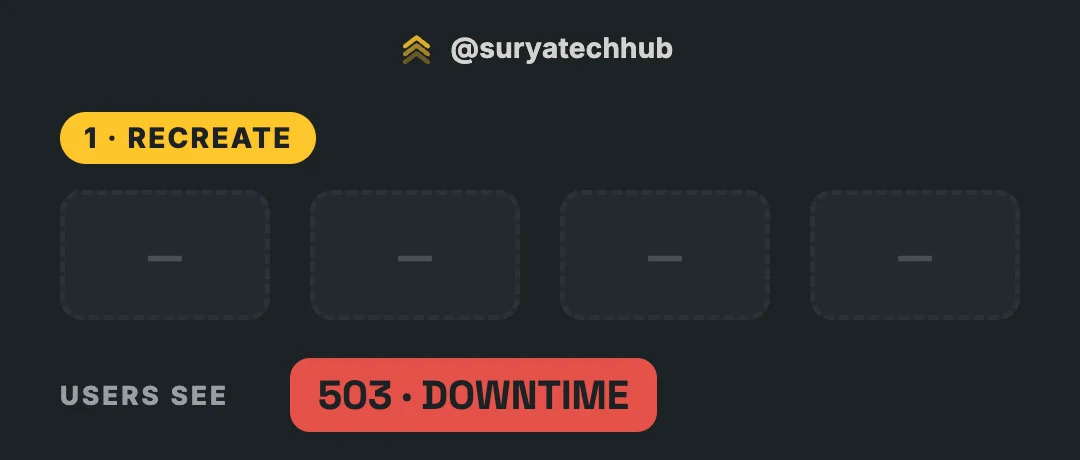
In Kubernetes it’s one line on the Deployment:
strategy:
  type: Recreate
It sounds like the strategy you’d never pick, but it has one property the others don’t: v1 and v2 never run at the same time. That makes it the right choice when they can’t:
- A breaking migration that the old code can’t survive, and you’ve accepted a maintenance window.
- A singleton: a job, a license or a lock that must never have two instances running.
- Internal tools and dev environments, where a minute of downtime costs nothing.
Avoid it for anything customers use.
2. Rolling
Replace pods a few at a time. Each new v2 pod has to become ready before more v1 pods are removed. This is the default strategy for a Kubernetes Deployment:
strategy:
  type: RollingUpdate
  rollingUpdate:
    maxSurge: 25%        # up to 25% extra pods during the rollout
    maxUnavailable: 25%  # up to 25% of pods may be down at once
With 8 replicas, that’s up to 2 extra pods and up to 2 pods out of service at a time, so the rollout moves in waves of about 2 pods. (With 4 replicas, maxSurge rounds up to 1 and maxUnavailable rounds down to 1.)
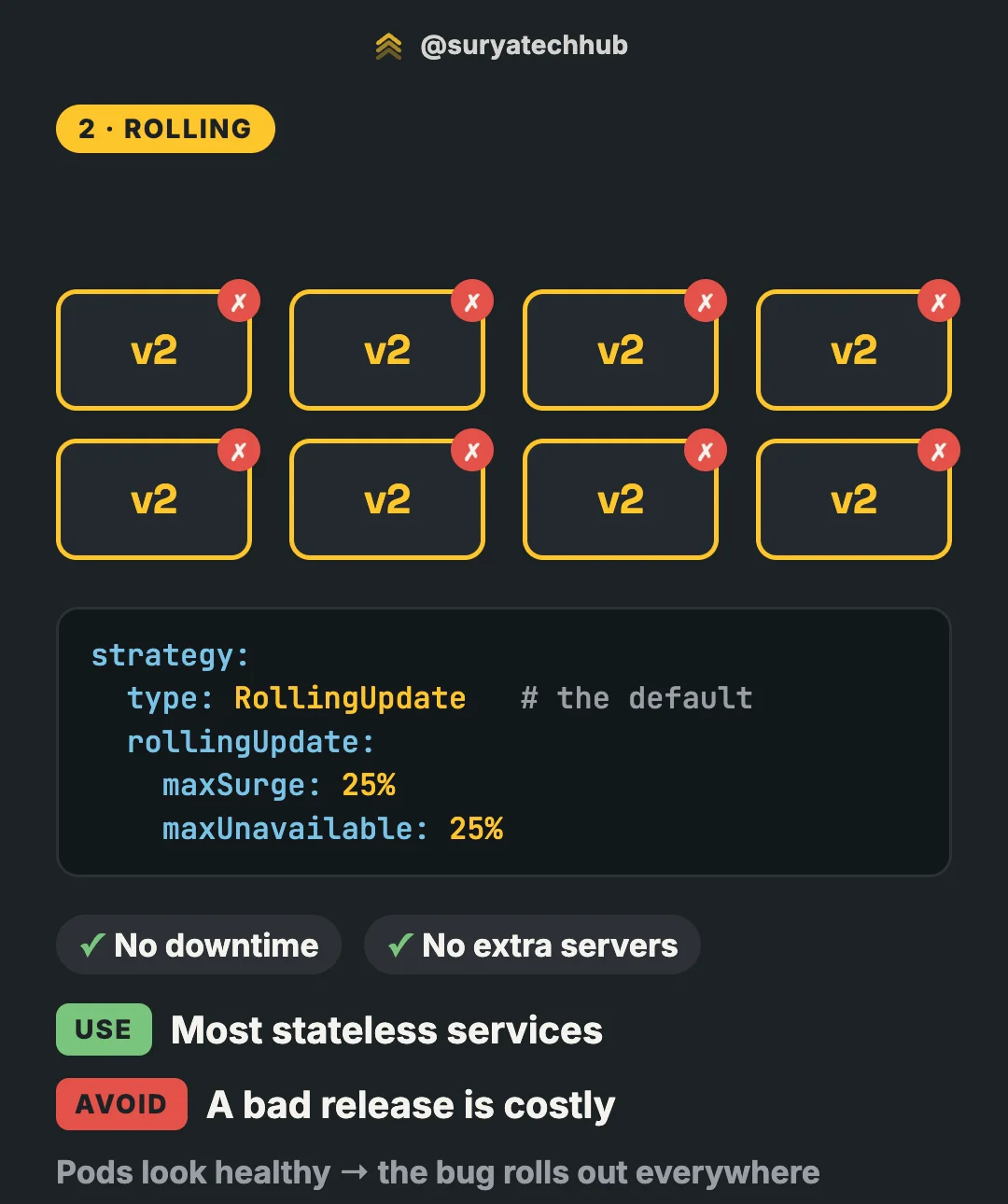
No downtime and almost no extra servers, which is why it’s the default. Use it for most stateless services.
The costs show up when the release is bad:
- Rollback is another rollout.
kubectl rollout undo deployment/ordersreplaces pods in the same waves, so it takes as long as the deploy did. - Healthy-looking pods aren’t correct pods. The rollout only checks that new pods are ready. If v2 starts fine but returns wrong results, the rollout keeps going until every pod has the bug.
- No readiness probe, no safety. Without one, a pod counts as ready as soon as its containers start. The rollout sends it traffic and removes old pods before the new ones can actually serve.
- Mixed responses. During the rollout, one user’s requests can land on v1 and v2 alternately. If the API response or UI changed, they’ll notice.
Avoid it when a bad release is costly and you need to catch it before everyone has it.
3. Blue-green
Bring up a full copy of the service on v2 (green) next to the live v1 (blue). Test green properly. Then switch the router so all traffic moves at once. Keep blue running: if something is wrong, rollback is just flipping back.
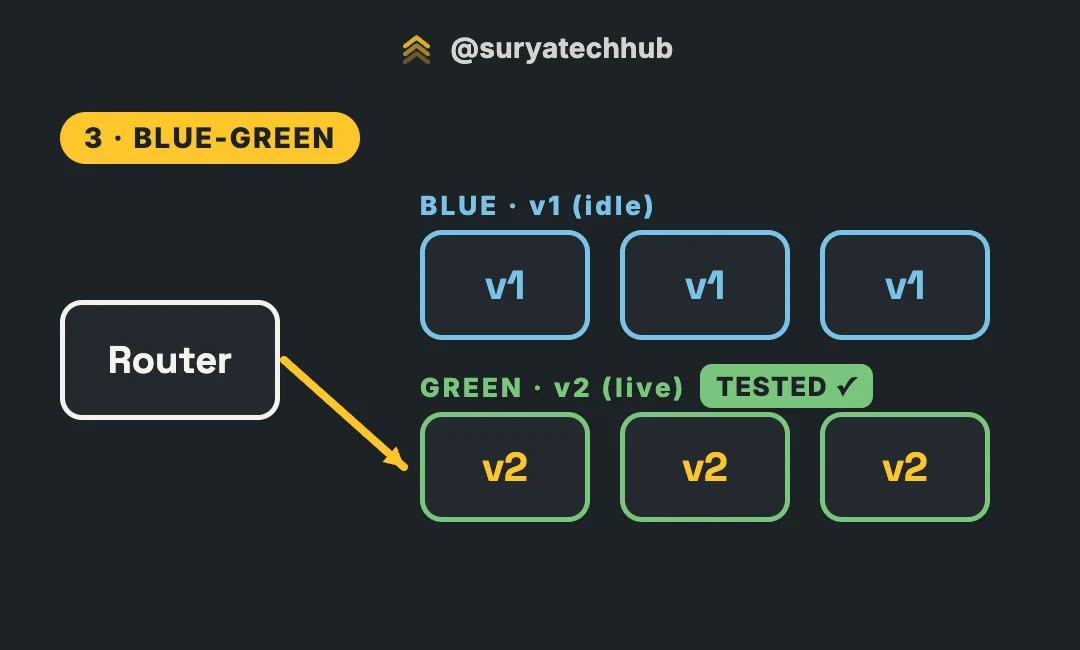
A plain Kubernetes Deployment doesn’t do this for you. A common way is two Deployments and one Service, then switching the Service’s selector:
kubectl patch service orders -p '{"spec":{"selector":{"app":"orders","version":"green"}}}'Tools like Argo Rollouts have a blueGreen strategy that does the same with preview and promotion steps.
Use it when rollback has to be instant. The trade-offs:
- 2× servers during the deploy. For a big fleet, that’s real money.
- Everyone gets a bug at the same moment. The flip is all or nothing.
- In-memory sessions are gone at the flip. If users’ sessions live in server memory, they’re logged out. (Another reason to keep services stateless: see Stateless vs stateful services.)
- Long-lived connections stay on blue (WebSockets, streaming) until they reconnect.
- “Flip back” assumes blue still works with the database. Hold that thought.
4. Canary
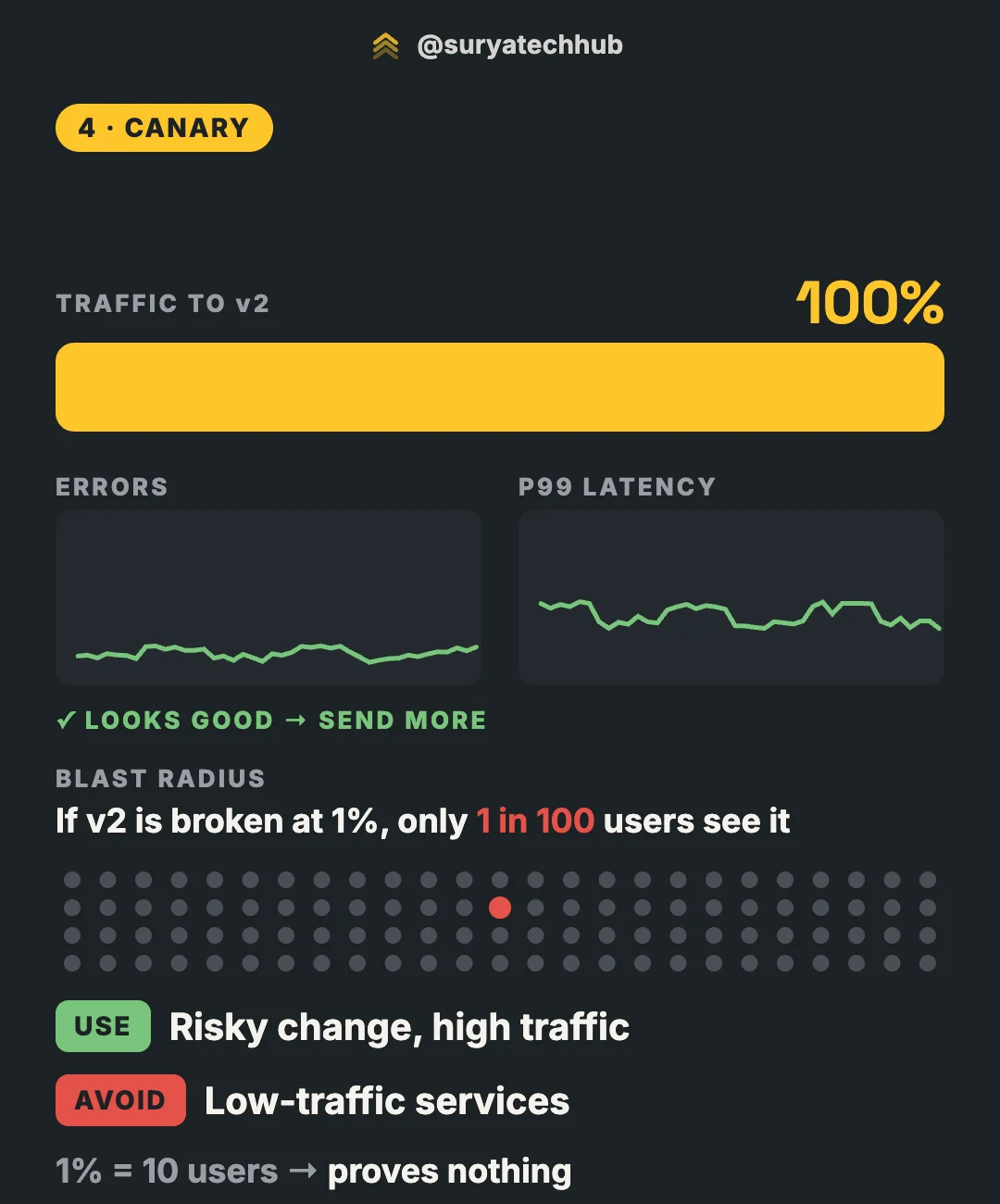
Send a small share of traffic, say 1%, to v2. Watch its error rate and latency next to v1’s. If it looks good, increase step by step (for example 1% → 5% → 25% → 50% → 100%). If it doesn’t, shift the traffic back.
This needs two things a plain Deployment doesn’t give you:
-
Weighted traffic splitting. A service mesh, Argo Rollouts, Flagger, or the Gateway API:
apiVersion: gateway.networking.k8s.io/v1 kind: HTTPRoute metadata: name: orders spec: parentRefs: - name: main-gateway rules: - backendRefs: - name: orders-v1 port: 80 weight: 99 - name: orders-v2 port: 80 weight: 1 -
Metrics you trust, compared between the canary and the stable version, ideally checked automatically so a bad canary is rolled back without someone watching a dashboard.
The big win is the smallest blast radius: if v2 is broken at 1%, only about 1 in 100 users see it. Use it for risky changes on high-traffic services.
Avoid it on low-traffic services. If the service gets 1,000 requests an hour, 1% is 10 requests. A release that fails 2% of requests will most likely show zero errors in that sample. The canary “passes” and proves nothing.
One more detail: keep each user on one version for the whole session (route by a header or cookie), or they’ll bounce between v1 and v2 on every request.
The catch: old and new code share one database
Now back to the ticket.
Look at rolling, blue-green and canary again. In all three, v1 and v2 are running at the same time, and they talk to the same database:
- Rolling and canary: both versions serve traffic together for the whole rollout.
- Blue-green: traffic moves at once, but blue must keep working against the database so you can flip back.
Only recreate avoids this, and it pays with downtime.
So say v2 ships with this migration, and as usual, migrations run before the new code rolls out:
ALTER TABLE orders RENAME COLUMN name TO full_name;The column is renamed. But the v1 pods are still running, still asking for the old name:
ERROR: column "name" does not exist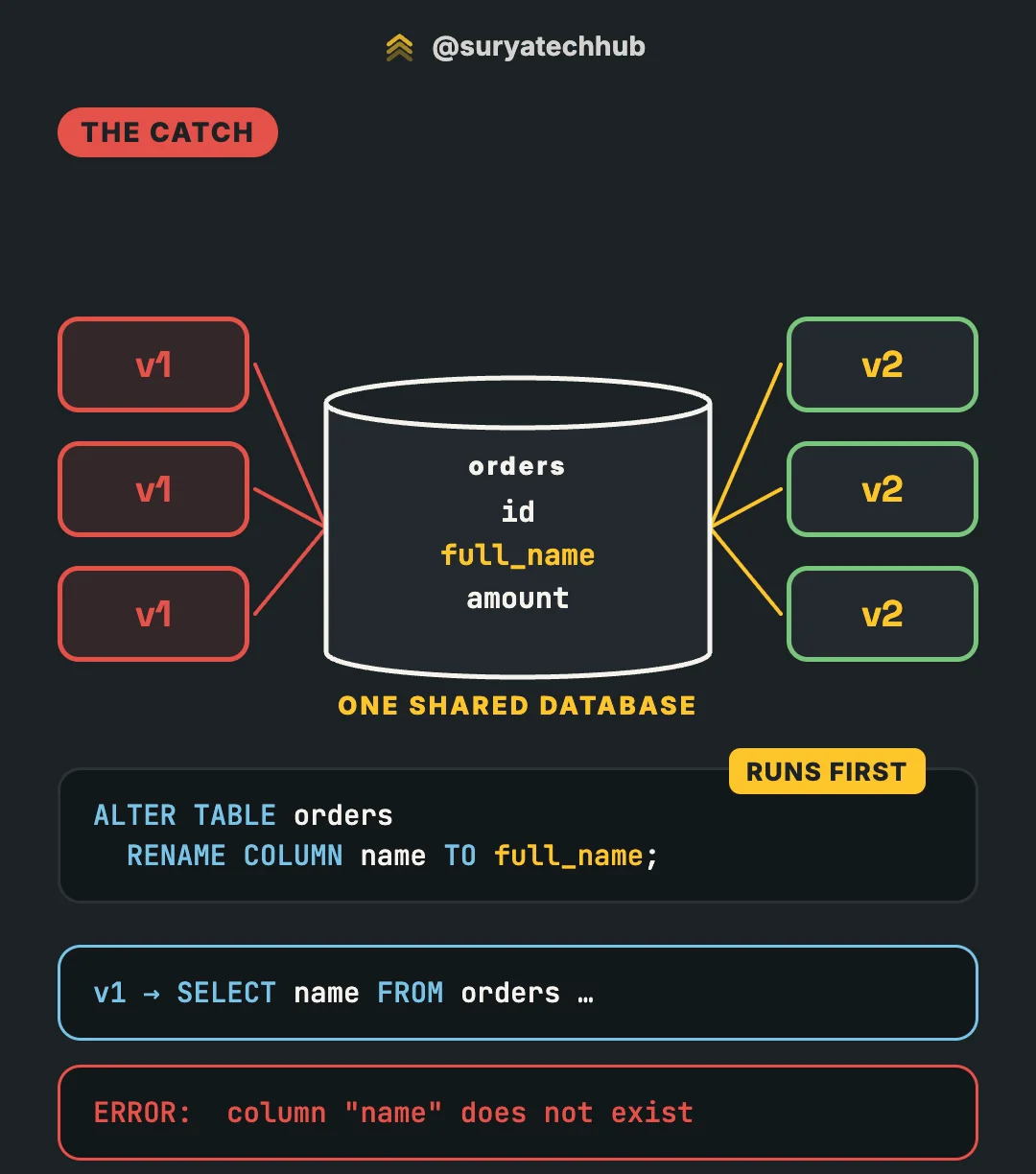
Every v1 query that touches name fails until the last v1 pod is gone. On a slow rollout, or a 1% canary that holds for an hour, that’s most of your traffic failing for most of the deploy. Run the migration after the rollout instead, and it’s the v2 pods that fail. And blue-green’s instant rollback is now broken too: blue can’t run against the renamed column.
No deployment strategy fixes this. It’s a property of the change, not of the deploy.
The fix: expand and contract
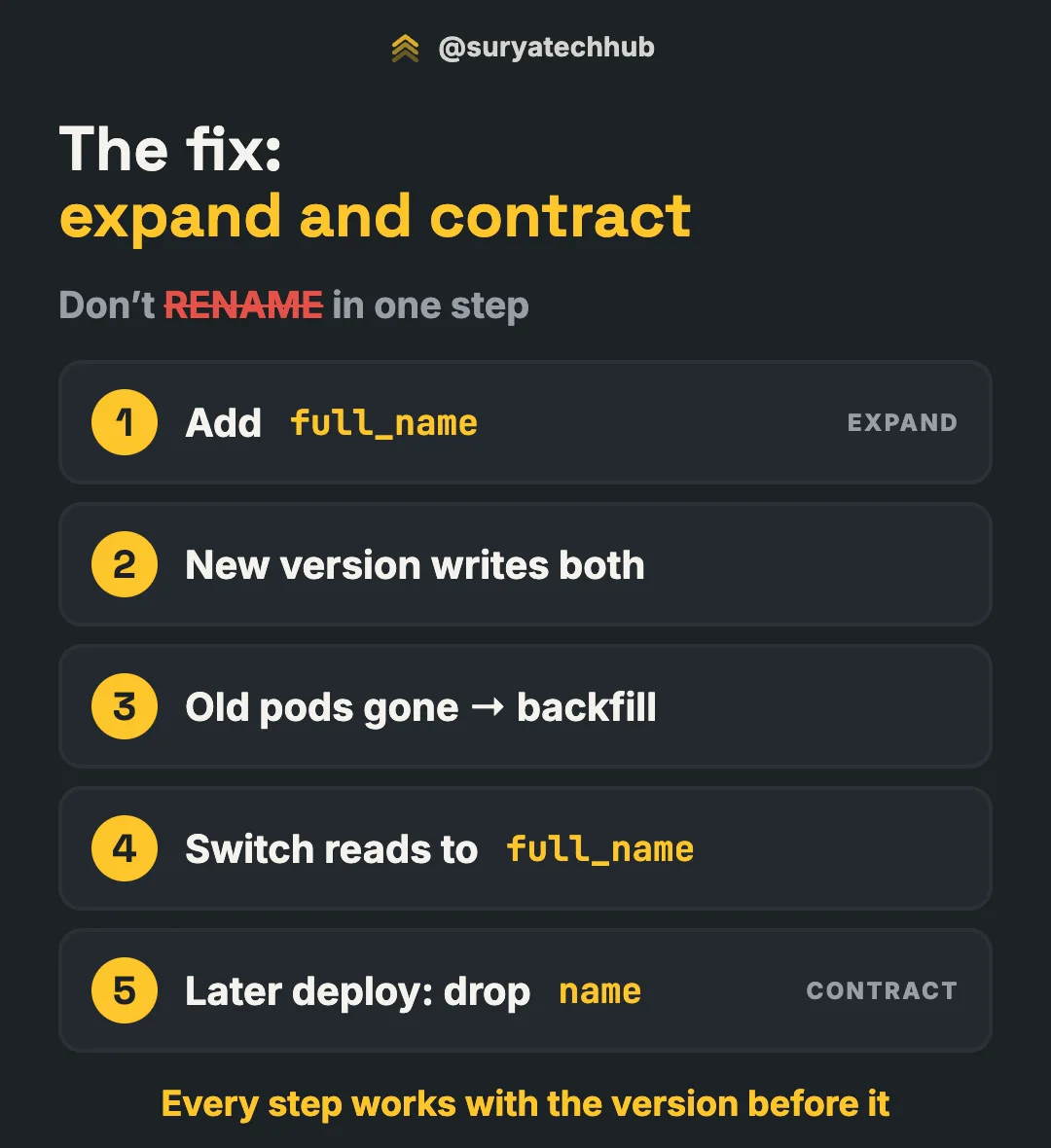
Don’t rename in one step. Split the change into steps where every step works with the version before it. This is called expand and contract (Martin Fowler calls it parallel change).
Here’s the rename, in Postgres:
1. Expand: add the new column. Nullable, so old code doesn’t care it exists.
ALTER TABLE orders ADD COLUMN full_name text;2. Deploy code that writes both columns, and still reads name.
INSERT INTO orders (name, full_name, amount) VALUES ($1, $1, $2);While this rolls out, v1 pods are still writing only name. That’s fine: nothing reads full_name yet.
3. Once the old pods are gone, backfill. Copy name into full_name for old rows, in small batches so you don’t hold long locks or flood replication:
UPDATE orders SET full_name = name
WHERE id IN (SELECT id FROM orders WHERE full_name IS NULL LIMIT 5000);
-- repeat until it updates 0 rows
4. Deploy code that reads full_name. It still writes both, so rolling back to step 2’s code is safe.
5. Contract, in a later deploy. Deploy code that stops writing name, then drop it:
ALTER TABLE orders DROP COLUMN name;Two details that bite people:
- If
nameisNOT NULL, code that stops writing it will fail its inserts. RunALTER TABLE orders ALTER COLUMN name DROP NOT NULL;before step 5’s code goes out. - If
full_nameshould beNOT NULL, don’t runSET NOT NULLstraight on a big table: it scans the whole table under an exclusive lock. AddCHECK (full_name IS NOT NULL) NOT VALID, runVALIDATE CONSTRAINT(it doesn’t block reads and writes), thenSET NOT NULL. From Postgres 12 on, that last step uses the valid check and skips the scan.
Five steps instead of one. But at no point does any running version see a schema it can’t handle, so any strategy works, and any rollback is safe. The same pattern covers changing a column’s type, splitting a table or moving data to a new service.
Beyond the strategy
A few things that matter as much as which strategy you pick:
- Readiness probes and graceful shutdown. A rollout is only as safe as its readiness checks, and pods that get killed mid-request turn every deploy into a small outage. Handle
SIGTERM, finish in-flight requests, and use apreStophook if your load balancer needs time to stop sending traffic. - Feature flags separate deploy from release. Ship v2’s code dark, then turn the feature on for 1% of users with a flag. That’s a canary without touching infrastructure, and rollback is a toggle.
- API compatibility follows the same rule as the database. During any non-recreate deploy, v1 clients talk to v2 servers and the other way round. Add fields before you require them; remove them only after nothing uses them.
Checklist
- ✅ Versions can’t run together → Recreate (and accept the downtime).
- ✅ Most stateless services → Rolling, with real readiness probes.
- ✅ Rollback must be instant, and 2× servers is affordable → Blue-green.
- ✅ Risky change with enough traffic to measure → Canary, with metrics you trust.
- ✅ For every deploy, ask: can the old code run against the new schema, and the new code against the old one? If not, expand and contract.
Picking a strategy is the easy part. Zero downtime isn’t a deployment setting. It’s a database discipline.